As soon as people spot the bike, they ask me, “is it better than a regular one?”
Well, I’m probably biased, because I spend a lot of time on this contraption. But I still have a regular bike – two actually – and I feel like this time in the saddle has given me some good perspective.
I used this excellent page as a base, and it’s no surprise I agree with most of it.
If I ride a regular bike for a day, my wrists hurt. On the second day, my tailbone starts hurting. On the third day, my neck starts hurting. A day or two after that I get saddle sores unless I’m wearing shorts with a pad in the ass.
When I was a teenager I didn’t have these problems, but then again, as a teenager I never rode a bike for eight hours straight, day after day. That started in my 30’s, when bike touring seized me and became a permanent part of my life. Only a few years into that, I discovered the recumbent.
You can ride a recumbent bike for hours, day after day, and nothing is sore: Not your wrists, not your butt, not your hands, not your neck, not your feet. You don’t need padded gloves. You don’t need a cushion in your pants. Saddle sores? Never.
For me, this is life-altering, and even if riding a recumbent had no other advantages, I would ride it for this.
When I’m out on the bike, I’m often passed by groups of lycra-coated men with zero body fat and grim expressions, powering their way up the slope I’m patiently climbing. I will never, ever be as fast, or as in shape, or as aggressive on the road as they are. Comfort is my priority. (I suppose after a year or so I could get used to the act of grinding my genitals down onto a hard plastic seat the size and shape of an egret’s head, but good grief, why?) If comfort is your priority too, a recumbent will delight you.
2: Collisions
If you run into something, you hit it feet first, and your bike doesn’t suddenly turn into a catapult. You have a chance to cushion the impact with your legs and back, to stop yourself from flying forward. On a regular bike there’s no such chance: If your momentum is high, you’re gonna fly.
Over many years, I’ve had a couple of unavoidable impacts that just left me startled, sitting there on a suddenly stationary recumbent, when the same impact on a regular bike would have probably pulverized one of my shoulders or disfigured me. One was with a full garbage can going down an unlit street at night, the other was with a wooden fencepost when I misjudged a gap. Zero injuries, except for some gnarly-looking sprocket marks on the post. (I admit that both times I was going at an unsafe speed.)
3: A better view
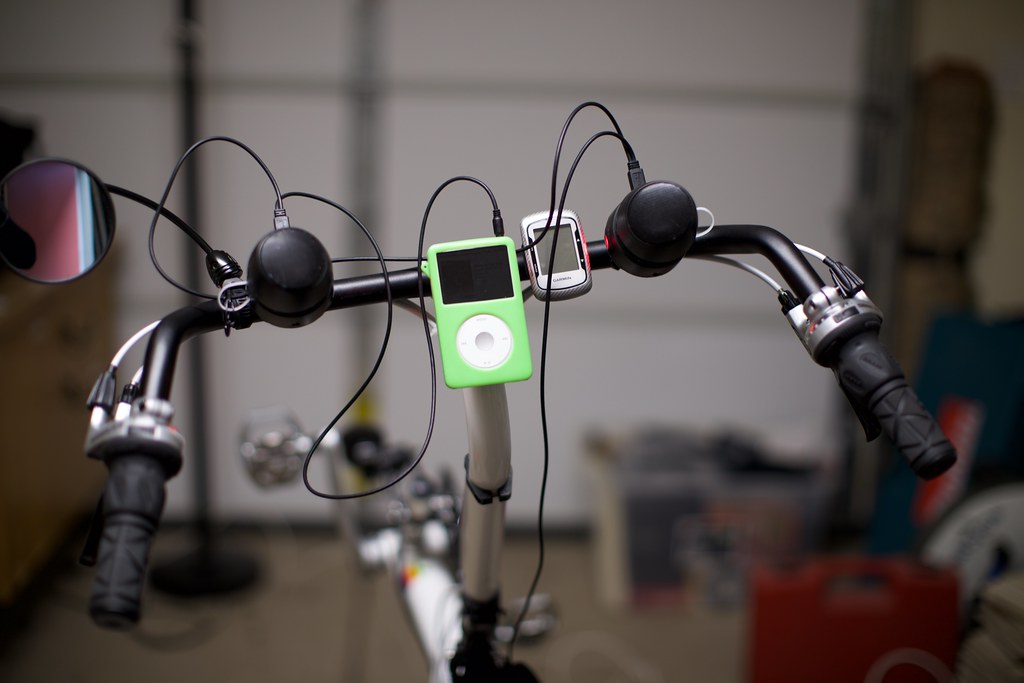
All the time, you have a panoramic view of your surroundings. You never need to strain to look up or forward. If you have gadgets on your handlebars, they’re held just below the line of the horizon. You never need to turn your head away from the road to look at them: You just move your eyes.
This is not just safer, it’s more fun. All day long, your body is positioned to see the world rather than the ground. And I know this will sound alarming to people who don’t ride bikes for hours, but it’s really nice that you can easily steer a recumbent with one hand, and operate a phone, check a map, eat a sandwich, or hold a drink with the other.
4: More attention from observers.
The classic vision that people scare themselves with, is of a recumbent cyclist disappearing below the roof of a car, making them invisible to cars on the far side. Practically speaking, cyclists of any size are obscured by cars all the time, because people drive giant SUVs, vans, and trucks. The point is always to make sure you as a cyclist are placing yourself in a space that is not relevant to the cars that can’t see you. Don’t hurry, don’t blow red lights, and don’t do anything you would find confusing as a driver.
Yes, recumbents are shorter. Somewhere between one and two feet shorter, depending on how low they’re built. But you know what else they are? Weird. There may be five other cyclists on the road at an intersection, but you know which one all the drivers and pedestrians will be aware of first? The recumbent. They’ll be staring at you. They will absolutely know you are there.
In practical experience I’ve found that this factor increases your safety more than your height reduces it. Like, a lot more.
5: Wind
Your wind profile is between one quarter and one third smaller, from the front. Headwinds affect you less. There are days when you’ll be very grateful for this, and other days when you’ll just shrug. Wind from the side affects you the same as a regular bike.
A recumbent gives you another interesting option: You can put a fairing on the front. I’ve used them before and they do help, but the compromise in energy between reduced drag and added weight makes them a poor choice for touring.
6: Stopping
If you need to stop hard very suddenly, you end up standing, rather than scrambling to balance. There’s that safety factor again. This is less of a problem on fully-loaded bikes of course.
7: Less appealing to thieves
Recumbent bikes can be expensive. But they’re also really specific pieces of gear. A professional thief knows they will have a hard time selling one, so your bike is less of a target. A daylight theft is also less likely because the thief will have a hard time riding it away from the crime scene.
On the other hand, if you’re in a giant city with a local “homeless” population — well, weird people like weird things, and they may steal it just because it looks weird. Then they will pass it along to a black market dealer, probably only for the equivalent of 20 bucks – in cash or drugs – which is awful for everyone but the dealer.
Overall, the balance is in your favor as a recumbent rider, and if you lock it up amongst other bikes, you will worry much less about it being stolen even if it’s way more expensive than its neighbors.
Personally, I’ve had many bikes stolen over the years, including recumbents. But the only time I actually got one back was because it was a recumbent: Even with the stickers and accessories removed and the serial number filed off, it was clearly recognizable.
8: Falling over
Letting yourself fall over to avoid injury is counter-intuitive, but it’s true that on a regular bike, especially a loaded one, you can get injured trying to stop a fall as easily as from falling.
When you’re on a recumbent and you’re overbalanced at low speed – because you had to swerve to avoid something, perhaps – it’s often better to just tuck your elbows and pitch right over with the bike. You don’t fall very far because you’re already in a seated position low to the ground. You land with less than half the force of an upright fall, probably more like a third, and the weight of the bike itself is taken by the side of the chair. Also, you don’t get tangled in the bike because there’s no saddle or frame between your legs, and the top tube doesn’t shoot up into your tender bits.
To bystanders it’s alarming because you have indeed fallen over. You didn’t hop around and appear to save yourself at the last minute, you just went to the ground, so there’s potentially some kind of emergency happening. Onlookers get concerned; bless them. Stand up, dust yourself off, smile, and laugh for their sake.
When I’m teaching people how to ride recumbents I always bring them to a park on the second day and order them to just fall over on the grass a bunch of times, so they’re not afraid of it.
9: You can carry more stuff
An under-seat rack is the equivalent of a rack on the front wheel of a regular bike, so no difference there. Where a recumbent really shines is the rear rack: Your legs and feet are well clear of it, so you can put some truly enormous bags there.
Plus if you use “tiller-style” steering like I do, your handlebars have loads of room for gadgets!
Many years on this bike have made the initial awkwardness of learning how to ride one feel like a minor thing to me, but that awkwardness still matters. Pedaling a recumbent for the first time is weird and a bit scary, even if you’ve been riding regular bikes your whole life.
Perhaps you’ll think you’re the exception, and you’ll take a few spins around the block, nearly crash four times in the space of five minutes, and then decide that because you didn’t enjoy that experience, recumbents are not for you. That would be a shame! If you stick with it you’ll realize it’s amazing, and regular bikes will start to feel awkward and painful. (Like, confusingly painful.)
2: Climbing is harder
People debate about this sometimes but I’ve been on recumbents for almost two decades, and I feel settled about it. There are two factors:
The first is, standing up. On a regular bike it’s possible to flex your leg all at once, shoving your entire body mass upward, and locking (or nearly locking) your knee, when you’re near the top of a pedal stroke. A.k.a standing up in the pedals. Then you keep your knee straight as you ride the pedal down. The energy cost of doing that quick extension is slightly less than the cost of extending your leg by pushing during the downstroke, because you’re using the muscle for less time. On a recumbent you can press your butt into the seat and get quite a lot of force into the pedal, possibly even more than standing up would do, but it’s not the same kind of move. Also, if you do this a lot your butt will start hurting!
Standing up in the pedals is something people do only in certain situations, like when they want to blow up a short hill quickly, and it can be very effective there. People learn naturally when it makes sense. If you’re on a giant hill, you could stand up in the pedals and exhaust yourself, then stop and take a break, and that could help as well — though the energy cost of sucking all that wind will cancel most of it out. Long-range tourists, recumbent or otherwise, tend to just gear way down and spin, burning enough energy to move but not enough to get out of breath. So, being unable to stand has an effect, but not a universal one.
The second factor is, on very steep hills, you’re tilted back and your legs are raised. This is a less natural position and your body has to work a little harder to move your blood around. Is this bad for you? Again, speaking with a couple decades of experience, I can tell you it gets annoying if you have to climb for hours, but never feels like it’s causing harm. It’s just part of the workout.
3: Sun and rain
Unless you have a lot of melatonin, you can’t tour on a recumbent wearing shorts, because your shins will sunburn. Eventually the same will happen to your arms, unless you wear long sleeves. Even the tops of your hands will get more sun.
The other problem is rain. You can’t just wear spats on top of cycling shoes, because your feet are vertical. You need rain pants, and likely waterproof socks as well. You will also find that in extreme rain, water will soak through the zipper on the front of your jacket, because the water lingers there and gets pushed in by the wind. It’s very hard to find a solution for this. Eventually I started using a rain jacket made for kayakers: It has no front zipper at all.
4: You need a mirror
Your view forward, and to the sides, is much better. But you can’t turn your shoulders in the seat to look directly behind you. So you’re forced to get a mirror and learn how to use it.
Whether this increases your safety overall is complicated: The view through a mirror is smaller, but you tend to check it a lot more because you can just flick your eyes to it instead of turning your upper body.
Cyclists can hear most cars coming, but a cyclist without a mirror does not turn their body around to look at every car that approaches because it’s too much work. That car could be coming straight at them because the driver wandered out of the lane while checking their phone, and the cyclist would never know until they got plowed under. A cyclist with a mirror can easily check the size and position of every car. A cyclist without a mirror is using (literally) blind faith.
I’ll never know how many times I’ve avoided serious injury (or even death) because I spotted a big vehicle coming up behind me too close to the edge of the lane, and I moved way over on the shoulder or off the road entirely while it passed. It could be zero, it could be a hundred. I figure it’s somewhere in between, so I think a mirror is important. On a recumbent, a mirror is mandatory.
Some people put mirrors on their helmets. That’s cool. I have one mounted on my handlebars just where I rest my hand, so I can quickly move it and keep a good view of the lane behind me on hills or long curves.
5: Long climbs will make your neck sore
Since you’re leaning back a bit instead of forward, your head is pitched farther back when you’re climbing a steep slope. After a long time, the muscles on the front of your neck will get sore, which is very annoying. On a regular bike this doesn’t happen: A steep slope just means your neck goes to a more natural position.
You can mitigate this with a headrest, but it’s hard to find one that’s comfortable for you personally.
6: It’s harder to avoid small things at speed
This is specifically about little objects. Big ones that you can see coming are still easy to avoid.
When you’re on an upright bike, you can quickly stand in the pedals and jig the handlebars sideways to avoid a pothole or a rock in the road. You can also jump before you hit something small, reducing the impact on your wheels, which can avoid a busted rim or punctured tube. On a recumbent these moves aren’t available: Sometimes you spot a thing in the road at high speed and all you can do is brace for impact.
In fifteen years or riding all over the place, has this caused me problems? Two times: Once on the outskirts of Toledo, on a crumbling shoulder of a road dotted with snow, I saw a pothole in my headlight and couldn’t steer around it or jump, and the front wheel hit so hard that my rim cracked. (I was using V-brakes at the time and braking hard, which was a factor.)
The second time was in New Mexico, when I saw a scrap of truck tire and couldn’t jig around it, and the tiny threads of steel belting stabbed into my own tire and gave me a flat.
7: Awkward on public transport
Buses sometimes have front racks, and recumbents will fit in them a little over half the time. When they don’t it’s usually because the wheel holders are too narrow.
Buses and commuter trains sometimes have hooks, where people hang bikes up. Most short-wheelbase recumbents can be hung up this way, but not if the hooks are too close together, or too close to the ceiling.
Shuttle drivers will sometimes tell you to put bikes in a cargo area under the floor, and to make a recumbent fit you may need to remove the seat, which is complicated.
All this awkwardness is something you need to be ready for.
8: Awkward indoors
Recumbents take up more space in hotel rooms. They’re harder to fit in elevators, and you’ll need to stand them vertically more often. You can sometimes carry a regular bike up a set of stairs by only partially unloading it, but with a recumbent you’ll need to unload it all the way.
9: Awkward on trails
The long-range touring I do is not the cross-country style. I’m on roads or easy bike paths all the time. I made a few exceptions in New Zealand and enjoyed it, but I still have to say: If you want to go barreling down a mountain trail, don’t take a recumbent. It’s harder to maneuver a recumbent bike on a complicated surface, and there’s nothing you can do about it.
10: More expensive to ship
Recumbents are bigger, and they pack bigger. Some recumbents have fancy couplings in the frame that allow you to split it in half for transport, and that helps, but it’s still more volume than a regular bike. You’ll need an oversize sporting equipment box to move one by airplane, or you’ll need to split the bike across two boxes.
The same can apply to train journeys when cargo space is limited. Instead of chucking the whole loaded bike into the luggage car they may ask you to disassemble it into a narrow box, and you may end up paying for two.
Let’s acknowledge that being able to take these things on planes and trains at all is amazing… But yeah, you’re gonna spend more.
So should you ride a recumbent?
I thoroughly believe you should at least try one. If you adjust it sensibly so you don’t feel cramped or overextended (and once you get over the weirdness barrier) you’ll really appreciate the comfort and the view. Whether that matters enough in your daily life to actually go and buy one, is another matter.
Recumbents are popular with older folks. They switch to them from regular bikes, to get away from wrist or back pain. I started riding one at the relatively young age of 33, and though it was nice to be liberated from wearing shorts with a pad in the ass, what sealed the deal for me was the range: I could take that bike 50 miles in a day, up and down mountains, one day after another, and I didn’t have to be a mega-athlete to do it. I just had to be stubborn enough to keep pedaling. Will you enjoy one for your casual weekend rides, or your shopping trips? Maybe; I sure do! But you won’t find the benefits so compelling.
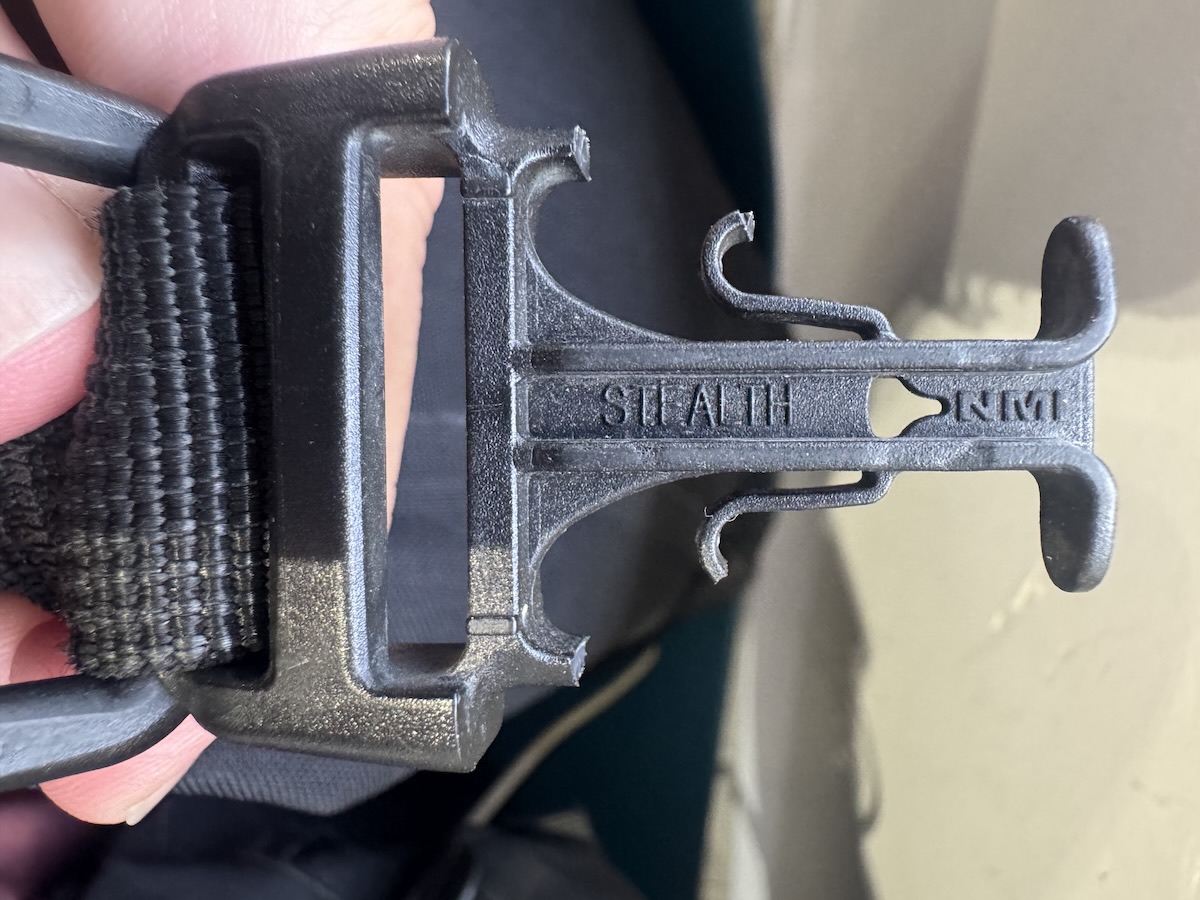
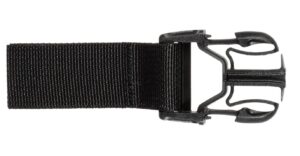
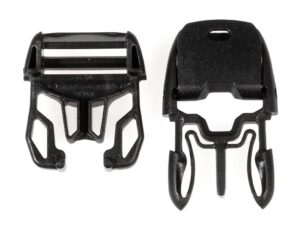
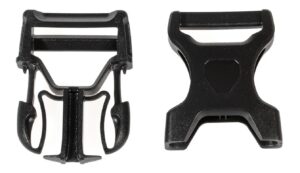
If you travel with Ortlieb bags long enough, the buckles will eventually break. They’re rather dainty because they’re designed to flex easily, so you don’t waste any time opening the bags even with cold fingers.
I had a hard time figuring out what parts to get when the buckles for my add-on pockets broke. Turns out they’re the same as the ones on my Sport Packer bags. When you replace them, though, you don’t need to worry about putting on the adjustable kind, because the straps are not meant to be adjustable. So you can use these:
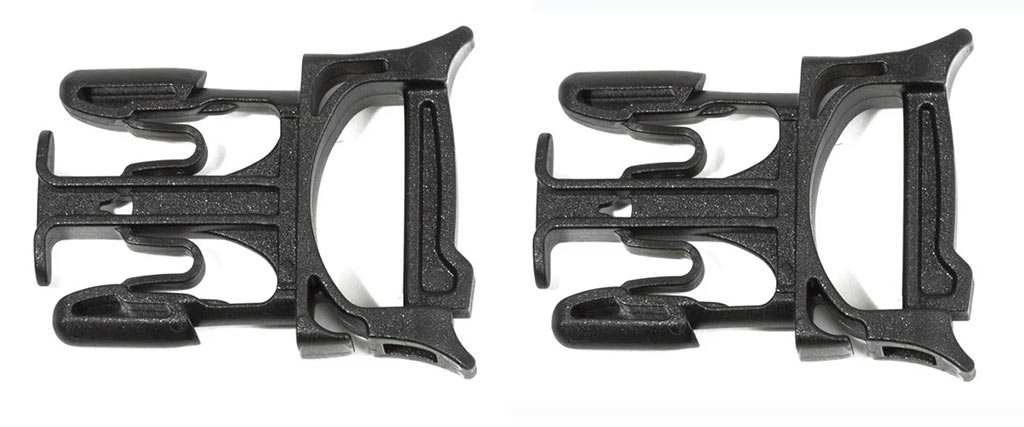
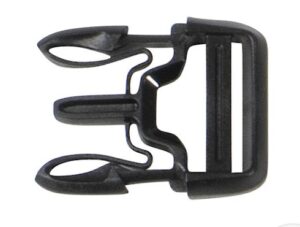
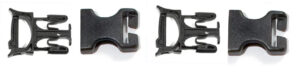
https://us.ortlieb.com/products/repair-kit-for-stealth-side-release-buckles $7.00. These have an opening mechanism for easy repair, so you don’t have to cut and/or re-sew the straps. They fit with Office-Bag, Back-Roller, and Sport-Roller models with Stealth buckle, but remember, if you use these you won’t be able to pull the straps partway through to adjust the length.
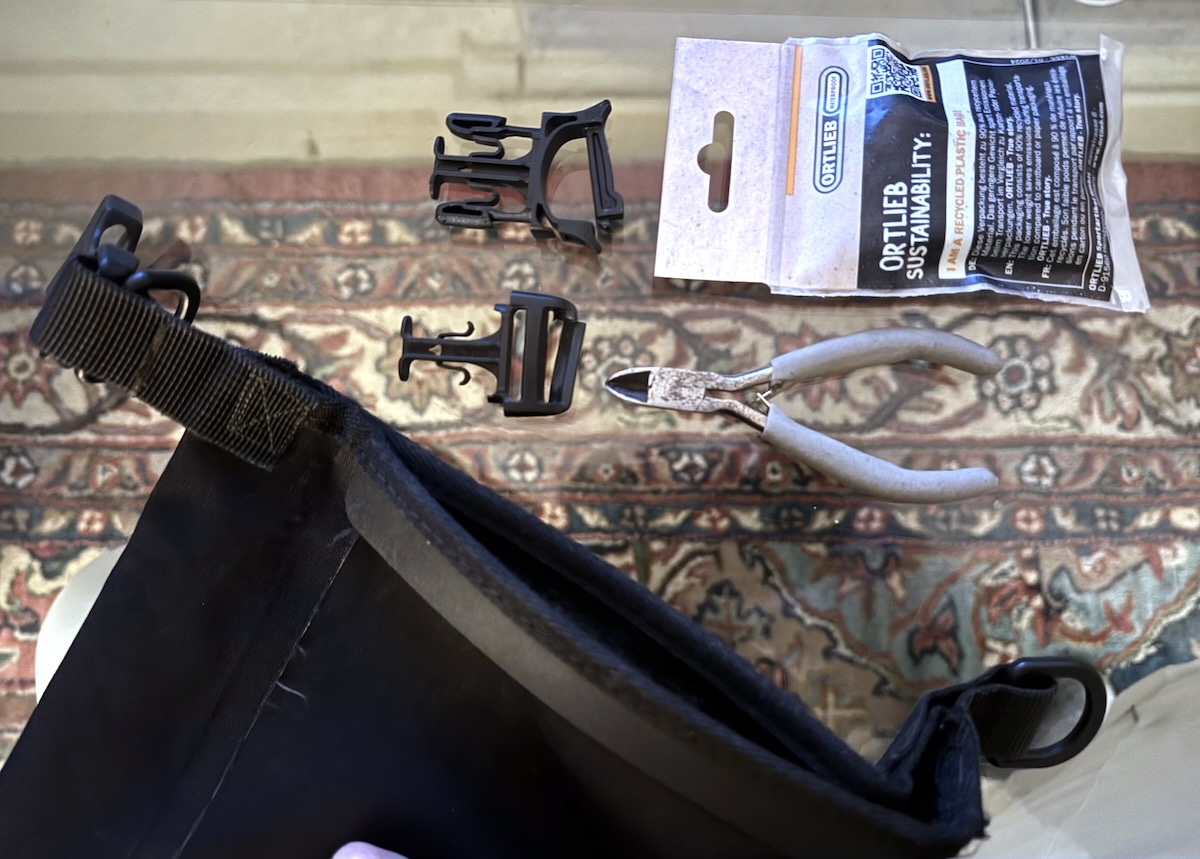
You’ll need some way to cut off the old broken buckle, but the new one can just snap closed.
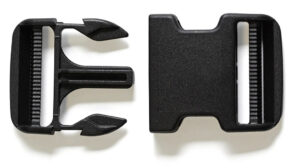
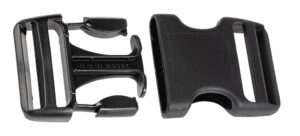
An inventory of the other buckles on the Ortlieb site:
Note that for buckles that are built into straps, you can get it replaced by paying a visit to a local upholsterer, shoemaker, or luggage repair shop. They’re likely to have the beefy sewing machines that can handle the bag material.
If I’m out and about and my bike gets stolen, along with all of my gear – or worse yet, I get accosted by highwaymen who steal all my things by force and leave me stranded – my concern will be immediate physical safety.
Beyond that, and assuming there is at least some honest infrastructure I can use, my concern will be replacing my equipment. I have some important things memorized, but I also have a bandana I made with various secret information encoded on it.
So, assuming the criminals don’t strip the clothing off my head, I can contact friends and family, share identifying information, and authenticate with some online services. Another thing I can do with the bandana is exchange sensitive data over the internet by encrypting it, because it’s got a slightly obfuscated copy of my private RSA encryption key on it.
How does that work?
Let’s assume I’ve lost everything but the bandana, so I’m starting from scratch with some new blank laptop I bought in a local shop.
Using that I can connect to the internet and download various pre-encrypted things I’ve created, and access them with the key in the bandana. But I can also have people encrypt things and send them to me.
That’s why I made this post: The explanation below is the bare minimum people will need to safely send me things, large and small:
First thing you need is this public key:
-----BEGIN PUBLIC KEY-----
MIICIjANBgkqhkiG9w0BAQEFAAOCAg8AMIICCgKCAgEAwAGrQGlUBYTz+1nbQjUk
NSCb4qdOZ76JI8W6Jgcx6uh0w7RYgp933VvVa0+gOezIN9n1C3lQd01uT14vp0EO
9t/aSipH+I4px5zZBBcdu6aKtuDEgUiaaTmV7+w66QCxcN7ACitkoqW/pmv8l4mg
bPhbSsyb3+e0bHCQ2f90MX1szsplEsu8LElEVL9Y2lR5tHZ2UlqA3mVqHqK7a9ue
SU7rEfNIPV3EEkU59L5lAPwKqFsekPxRhToQD2AK9tuyRMtZCam6jMEtxNQm5Qrz
Wgqvbin39u30HMR39Q5AZ+vNhb9aD+Iibl5jZe8x5TH18/Z0wd/8jtdSk/5mcjZC
XyMW0hguL1EX+E8mNbTZklVbjMhPq53rwgNm9O5RYcHPkaB3AcI+zxv+6AzzXl/Q
5VP0EfDyqSfzge3Yyxdj9T2QV275KCyEKKs7pEucUN0d5OKOQuXXtoojjH0kWEMx
oh/B0Z7B0leDcAMqgoe/l5avw8i56bWoNZ6gJ7BeT8/Wubk7wNyZYKBDb3JHRNYY
dQeXnQxiYObnq5T2JqyFfG0ITHq5Q7KzIv9kWG5rapGSBdtkVCEGDY9zPt7oHoeM
eTujgVYXux0FoyHrG86GKhlVVVxHY0pHeDwlsW2rjJr9E5iizLAkcDF50OdbjIa9
F9Hrzo6RF0XI5YbrR+Z9KBMCAwEAAQ==
-----END PUBLIC KEY-----
Grab this text and paste it into a file called id_rsa.pub.pkcs8
To send:
Let’s say you have a big thing you want to send: secret.zip, a zipfile full of stuff.
We’re going to make a temporary key, encrypt that file with the key, encrypt the temporary key with my public RSA key, and package secret.zip and the encrypted temporary key together, like so:
That gets me secret.zip, and the exchange is done.
It’s incredibly unlikely that I’ll ask anyone to send me things this way, but this page is here just in case.
A variation of this is how I intend to get all my data back in my hands even if I’m in a part of the world where everything I send or receive online is subject to eavesdropping or logging by weird state actors or random criminals.
While heading out of the apartment, I listened to a “Sawbones” podcast episode about Hepatitis C. Disease exposure was on my mind with the pressing crowds of Paris. Of course, for the rest of the day I obsessed over whether everyone I met had Hepatitis C…
Just a few blocks over I found a café that made an “iced mochaccino”. Will it stand up to my absurd mocha rating scale? We shall see! (Spoiler alert: No. It scored a 5 out of 10.)
I ordered tiramisu and it was totally different from what I got in Brussels, but still quite good. Also different from what I got anywhere in America. I should have expected this, really.
After scarfing that down I joined a work meeting with four other people in it, and listened with my earphones while I walked the half mile back to the apartment. A weird new first: Participating in a work meeting while strolling around in Paris with my phone, headphones, and some keys as my only equipment. I’m too old to be a yuppie, so I guess I’m an “uppie”.
Théatre du Caveau de la République has an adorable mascot! Some kind of buck-toothed pixie??
Back at the apartment I wrote code for several hours, then did some documentation, and then the rest of the day was mine. I set out again for food, choosing to stay on foot for a change instead of using the bicycle.
I randomly chose a restaurant, and sat down at the usual microscopic outdoor table. Dinner was a Caesar salad which was way too dry and some “fresh squeezed’ orange juice that definitely tasted as though it sat around all day. As I finished it, I almost laughed at the thought: “Hey, it’s my first unacceptable meal in Paris! A new milestone has been reached!”
As I dined, and later on as I walked slowly around the city in the evening gloom, I listened to some of “A Distant Mirror“. This was going to be a favorite of mine for the rest of the Paris visit. While contemplating stone walls, canals, and random strangers, I heard about the arrest and torture of the Knights Templar, who were basically yet another pointless aristocracy that ran afoul of the church and were devoured by it. Their head honcho was burned alive right in front of Notre Dame (like so many, many others, especially later when witch trials began.) Earlier in the week I’d passed by the very spot on my bike.
I also heard about the 13th-century expulsion of Jews from France, and how they were scapegoated as “money lenders” specifically by the church, which considered the lending of money “unclean” but was forced to admit it was a necessary part of large-scale commerce, so they mandated that role to Jews to deliberately enflame their status as “unclean”. All dictators need a scapegoat and a war, and the church was no exception. Tale as old as time.
Back at the apartment I went down a completely different digital rabbit hole, reading about old computer games from my adolescence that I’d missed out on because they were distributed only in other countries. I ran into a game called “Princess Maker“. Weird. And weirdly compelling.
It is what it sounds like — sort of. You guide a young lady through her adolescence by setting her work, school, and travel schedule. You don’t control her directly, or even interact with her directly. The majority of the interaction consists of picking menu items. If you get her stats and reputation high enough, she becomes queen of the land. Lesser outcomes include “housewife”, “con artist”, and “wandering wizard”.
There’s a framing device where you – the player – are described as a heroic knight that saved the kingdom from an invasion, and as a reward you asked to start an orphanage. I assume the framing device is there to give male players a more comfortable angle to participate: Consider it practice for being a Dad? (Well, as long as being a Dad consists of picking menu items with a mouse.) It’s the attitude that counts I suppose.
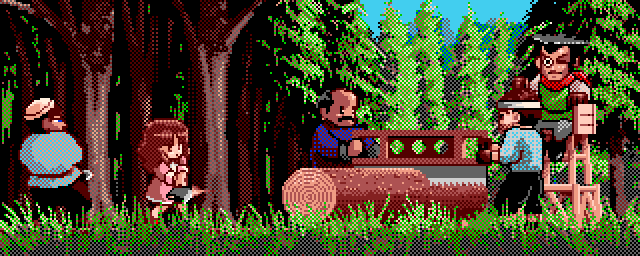
Your princess-to-be, chopping a tree down with some lumberjacks as an extracurricular activity.
Hey whaddaya know, there’s a PC-98 emulator for MacOS called “DosBox-x“, and some usage directions. An interesting rabbit hole. I felt a bit too lazy to actually play the game, but it got my mind churning about cultural differences again. When I was a boy growing up in California, role models of men spending their time raising children were pretty thin on the ground. You could join the army, fight crime, be a really good dancer or singer, kick ass at some sport, or perhaps be one of those interesting and windswept loner types, but being a Dad? Maybe you could be a “sitcom dad” like Tim Taylor and dispense some life lessons, but it was mixed in with acting like an idiot half the time.
Perhaps this is why I always felt a kinship with Scrooge McDuck, who spent half an hour each weekday living an adventurous life but also taking care of three nephews at the same time.